BookBD: Blogging Tips
Showing posts with label Blogging Tips. Show all posts

Monday, October 5, 2020

How to fix low resolution favicon problem on blogger

How to fix low resolution favicon problem on blogger
Hi, welcome back to blogging bador, in this article we will talk about how you can fix the low-resolution problem of blogger favicon. Blogger support maximum 100px * 100px favicon but after you add the favicon it's convert into 10px * 10px.

If you see your favicon by making bigger you see the favicon it's blurry. This problem is shown for the low resolution but we haven't got any way to fix these issues. In this article how you can install any high-resolution favicon on blogger. The maximum pixel of favicon on the blogger is 100px.

Why high-quality favicon

Favicon is your site identity, if you use firefox and opera browser then you see when you add the blog in bookmark the favicon looks large on the front page and the favicon looks dull and low resolution.

Blogger does give the right to upload high-quality favicon but we can use high-resolution favicon by a trick.
 

How to add high-quality favicon on blogger

To make your blog favicon high-quality follow all the steps of this section. On the blogger theme, there is two types of code available to show the favicon on the browser window and other where. See the below code to get an example of both code:

<link expr:href='data:blog.blogspotFaviconUrl' rel='icon' type='image/x-icon'/>


<link href='/favicon.ico' rel='icon' type='image/x-icon'/>
Some developer uses the first code and some developers use the second code. Both codes work is the same. The first code is made by the blogger conditional tag and the second code make by the URL directory.
 

First Code

First search for the favicon code I am already giving you now you see the first code then follow the below steps.

First, remove the code from your theme then upload your high-quality favicon on post editor then copy the URL.

<link href='img_url_here' rel='icon' type='image/x-icon'/>
Now add your uploaded favicon URL on the img_url_here after you add the URL then simply add the code before <head> tag.

Now save your theme.
 

Second Code

If you get the second code then there are some easy steps for you, follow the below steps to add high-quality favicon on your blogger blog.

If you get the second code then upload your favicon on the post editor first then copy the image url after then just replace your image url with the /favicon.ico .

Now save your theme and enjoy it.
 

Conclosing

This article about how you can fix the low resolution favicon problem. I'm trying to tell how you can fix now if you face any problem with this tutorial then please comment down below. You can check out your other articles and thanks for with us.

How to speed up your blogger blog

What's up guys in this tutorial in this tutorial we will be talking about a very useful topic for every blogger and it's how you can make your blog fast from before. In this article, I will tell you the top 5 most effective way but you will also get so many ways on the ocean internet. So let's talk about the top 5 ways to make your blogger blog load faster than before.

Minify CSS

Minifying your blogger blog theme css is the most effective way to increase blog speed. If you don't know what is minify css then I am telling you in short, Minifying css is also called compress css if your theme has 20kb css and you minify the css then the size is compressed.

How to minify CSS

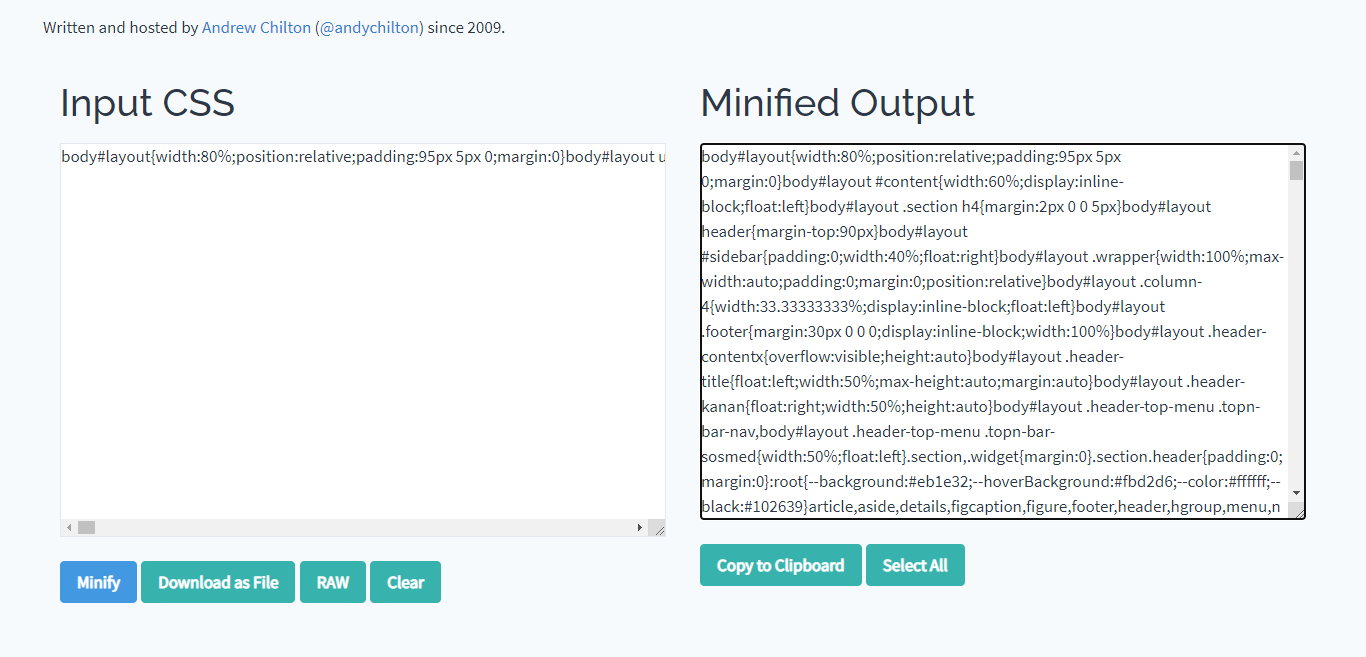
There are so many tools on the online you get for minifying css. First, open google then search for the minify css then open the cssminifier.com url. Now you will see the input css box on this box add your theme css then click on the minify button. After clicking on the minify button you will they give some compress css, now remove the old css and add the minifying css.
How to minify the css

Lazy load

Lazy load is a great script to increase your blog speed. Lazy load is work by the page scroll when any visitor scroll your blog post then the image is load and you can also add lazy load for the widget. If you want to install the lazy load you can search on google by typing lazy load for blogger.

Conditional tag

I know if you are a blogger theme developer you are thinking what is the use of conditional tags to increase the blog speed.  There are so many uses of the conditional tag. If you don't know what is conditional tags for them, the conditional tag helps us to use the blogger dynamically. Now how can you increase the speed by using the conditional tag? You can specify the css and js of different pages by using the conditional tag. For example, you want are create a good-looking error page and now you add the css on the skin and the js on the body, if you add code like this then the css and js load everywhere of the blog so it decreases your blog load speed. If you specify the css and js only for the error page by using the blogger conditional tag then you don't face this problem. If you want to know blogger conditional tag for different page then you can follow the google blogger official blog.

Webp Format

Webp full meaning is web page and this an image format. Webp helps to make your image load faster on your web page it's also called the 3rd generation image format because it's load more faster then jpg and png.

How to convert image into webp format

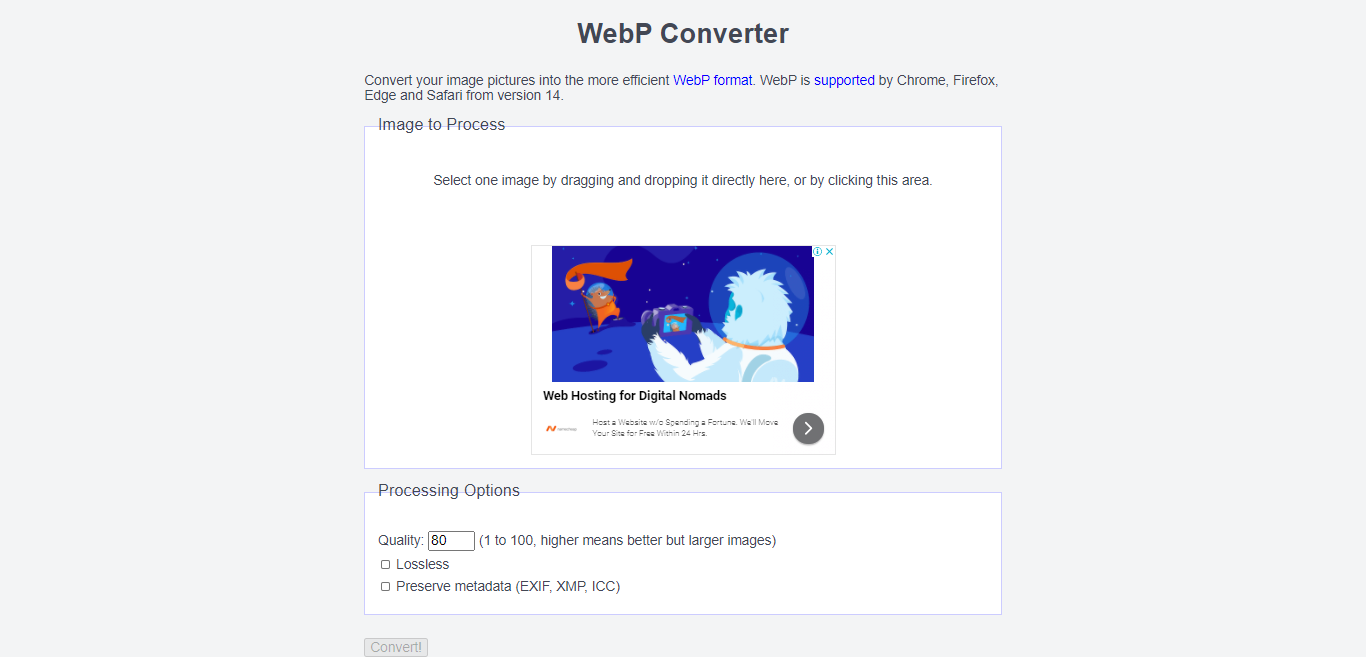
It's so easy to convert your image into webp format. First, open google now search for webp converter, now open the first url. After hoping the url just drag and drop or select your image then choose the quality and click on convert then your image is saved on your computer in webp format.
How to convert image into webp format

Boycott third party widget

Third-party widget always makes our blog speed slow because they run on a different server, if the third party widget server down then your blog also lose all the speed of the main server. In my opinion the third party widget just like a speed breaker. Try as much you can boycott the third party widget and script. If you want to use any cdn the don't use any third-party site you can use Github, it's run by Microsoft.

Conclosing

This tutorial I am making for them who wants to know how can he makes her blogger blog speed faster than before. In my opinion, if you use any minimalistic blogger template then you don't need to follow dose steps. Thanks for with us.